Contents (22 sections)
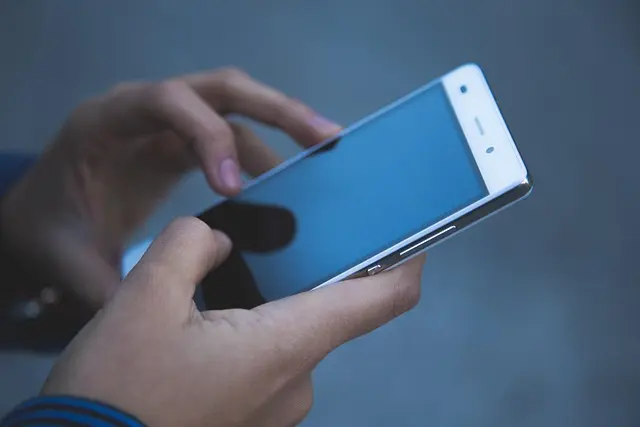
When it comes to modern smartphones, having the right accessories can greatly enhance your experience. This comprehensive guide will help you navigate the myriad of options available and make informed decisions on the best phone accessories aligned with your lifestyle and needs.
📋 Overview of Phone Accessories
What Are Phone Accessories?
Phone accessories encompass a wide range of products designed to enhance, protect, or augment the functionality of your smartphone. This includes cases, screen protectors, chargers, audio devices, and many more. With the right accessories, you can improve the longevity, performance, and versatility of your device. Consider a report from UFC-Que Choisir highlighting that up to 80% of users feel they have improved their device's utility with the proper accessories.
Why Choose the Right Accessories?
Selecting the best phone accessories isn't merely about aesthetics; it’s about functionality, protection, and convenience. For instance, the right case can prevent damage from falls, while a quality power bank ensures you’re never without power on the go. Moreover, appropriate accessories can enhance user experience—for example, high-quality earphones can drastically improve audio quality. According to a study by Les Numériques, users who adopt tailored accessories report a 50% higher satisfaction rate with their devices than those who don’t.
🛒 Step 1: Assess Your Needs
Identifying what you need from phone accessories starts with understanding your lifestyle. Are you an outdoor enthusiast who needs rugged protection? A frequent traveller who requires reliable charging solutions? Or perhaps you enjoy photography and need accessories that enhance your phone's camera capabilities? By evaluating how you use your smartphone, you can narrow down the types of accessories that will be most beneficial.
Checklist for Assessing Needs:
- Lifestyle: Consider your daily activities and environmental factors.
- Usage Frequency: Determine how often you use your phone in various contexts.
- Current Limitations: Identify pain points in your current setup — are you frequently running out of battery, or do you struggle with your phone's audio quality?
Once you have a clearer idea of your primary use cases, you're better prepared to select specific accessories that meet those needs. You might find that additional accessories could add unforeseen values, such as improved productivity with the right charging dock for your workspace.
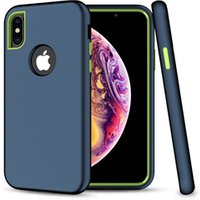
Trend 2019 Amazon best seller cell phone accessories cases for iPhone xs max xr mobile phones for Samsung galaxy S10 case plus
Alibaba UK


Samsung Galaxy S26 16 cm (6.3") Dual SIM Android 16.0 5G USB Type-C 12 GB 256 GB 4300 mAh Blue
Back to the Office
🛠️ Step 2: Research the Options
Once you’ve identified your needs, it’s time to delve into research. Spending time to compare various products can help ensure you invest wisely. Consider factors such as brand reputation, user reviews, and features that align with your needs. You should also keep an eye on new tech trends, as the accessory market is always evolving. It’s beneficial to leverage resources like 60 Millions de Consommateurs for comprehensive product testing and comparisons.
Tips for Efficient Research:
- User Reviews: Look for detailed reviews from other consumers.
- Expert Opinions: Consult tech blogs and forums for recommendations.
- Comparison Sites: Use websites that offer side-by-side comparisons of specifications, pricing, and features.
By leveraging comprehensive resources, you can ensure that the products you’re considering have been vetted for quality and performance.
⚖️ Step 3: Compare Accessories
When considering multiple accessories, creating a comparison table can help clarify your options. Below is an example comparison table of different categories of accessories:
| Criteria | Case A | Case B | Charger C | Verdict |
|---|---|---|---|---|
| Protection | High | Medium | N/A | Case A is best |
| Durability | Excellent | Good | Excellent | All good |
| Aesthetics | Sleek Design | Bulky | N/A | Case A wins |
| Price | £20 | £15 | £25 | Case B is cheaper |
🔍 Step 4: Set a Budget
Establishing a realistic budget is crucial for your accessory shopping experience. Accessories can vary widely in price, and while it might be tempting to opt for the cheapest option, consider quality over cost. Invest in a few key pieces instead of multiple inexpensive ones that may not meet your needs adequately. It’s also wise to keep an eye out for promotions or bundles, which can offer significant savings.
Budgeting Tips:
- Prioritise Needs: Allocate more budget for critical accessories that enhance usage.
- Hold Off on Luxuries: If an accessory seems unnecessary, consider waiting until you've established your core needs.
- Look for Discounts: Many retailers offer deals during seasonal sales that can help you stick to your budget.
📦 Step 5: Purchase and Test Your Accessories
After selecting your accessories based on thorough research, it's time to purchase them. Once received, testing them for compatibility and performance is vital. For example, verifying that a case fits well, ensuring a charger works with your device, or checking audio quality in headphones can save you from future inconveniences. If you purchase from reputable retailers, they often provide return policies in case accessories do not meet expectations.
Testing Checklist:
- Compatibility: Confirm the accessory works with your specific phone model.
- Performance: Test the functionality of items like chargers or headphones upon receiving them.
- User Reviews: If possible, read user experiences after purchase to gauge long-term reliability.
Q: What are the essential accessories for a smartphone?
A: Essential accessories typically include a protective case, screen protector, charging cable, and headphones.
Q: Are more expensive accessories always better?
A: Not necessarily. Expensive accessories can offer more features, but it's essential to evaluate based on your specific needs rather than the price alone.
Q: Can I use accessories from different brands?
A: Yes, as long as they are compatible with your device specifications, different brands can be mixed and matched.
Q: How do I know if my accessory is compatible with my smartphone?
A: Check the product details for compatibility options and read user reviews regarding specific models.

Samsung Galaxy S26 16 cm (6.3") Dual SIM Android 16.0 5G USB Type-C 12 GB 512 GB 4300 mAh Blue
Back to the Office

Samsung Galaxy S26 16 cm (6.3") Dual SIM Android 16.0 5G USB Type-C 12 GB 256 GB 4300 mAh Black
Back to the Office

Samsung Galaxy S26 16 cm (6.3") Dual SIM Android 16.0 5G USB Type-C 12 GB 256 GB 4300 mAh Violet
Back to the Office
🛒 Recommended Products
- Product 1: This product offers exceptional durability, ideal for outdoor use.
- Product 2: A great choice for efficient charging, specially designed for frequent travellers.
- Product 3: Enhances audio quality significantly, perfect for music enthusiasts.
Checklist before Purchase
- [ ] Assess personal needs and lifestyle.
- [ ] Research options and read reviews.
- [ ] Compare products side-by-side.
- [ ] Set a budget for accessories.
- [ ] Test accessories upon arrival for compatibility.
📺 For Further Exploration:
To further explore the world of phone accessories, check out “The Best Phone Accessories to Enhance Your Experience” on YouTube. Search for “best phone accessories 2026” for insightful reviews.
Glossary
| Term | Definition |
|---|---|
| Phone Case | A protective covering for smartphones to prevent damage. |
| Power Bank | A portable device used to charge smartphones and other devices. |
| Screen Protector | A thin film or glass that shields a phone screen from scratches. |
> 🧠 Quick Quiz: What is the primary function of a power bank?
> - A) Protect the phone
> - B) Enhance audio
> - C) Charge devices on the go
> Answer: C — A power bank is designed to provide electricity to other devices while offline.
📺 Pour aller plus loin : best phone accessories 2026 sur YouTube
Recommended products
Selected by our experts

Samsung Galaxy S26 16 cm (6.3") Dual SIM Android 16.0 5G USB Type-C 12 GB 512 GB 4300 mAh Black
Back to the Office

Samsung Galaxy S26+ 17 cm (6.7") Dual SIM Android 16.0 5G USB Type-C 12 GB 256 GB 4900 mAh Blue
Back to the Office

Samsung Galaxy S26+ 17 cm (6.7") Dual SIM Android 16.0 5G USB Type-C 12 GB 256 GB 4900 mAh White
Back to the Office

Samsung Galaxy S26 Ultra 17.5 cm (6.9") Dual SIM Android 16.0 5G USB Type-C 12 GB 512 GB 5000 mAh Black
Back to the Office

Samsung Galaxy S26 Ultra 17.5 cm (6.9") Dual SIM Android 16.0 5G USB Type-C 12 GB 256 GB 5000 mAh Violet
Back to the Office

Samsung Galaxy S26 16 cm (6.3") Dual SIM Android 16.0 5G USB Type-C 12 GB 512 GB 4300 mAh White
Back to the Office