Contents (9 sections)
Understanding Smartphone Maintenance
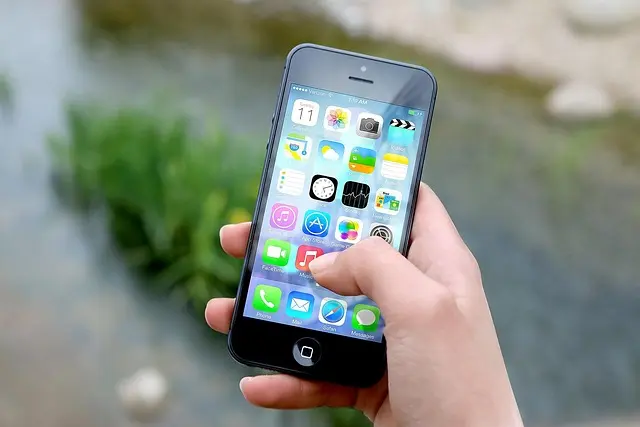
Smartphones have become indispensable in our daily lives, acting as communication hubs, work devices, and entertainment centres. However, many users overlook the importance of smartphone maintenance. Proper care can significantly enhance your device's longevity, performance, and security. Maintenance isn't just about cleaning the exterior; it involves software updates, battery management, and general usage habits that affect device reliability. Statistics reveal that a well-maintained smartphone can last up to 50% longer than one that receives neglect. According to UFC-Que Choisir, neglecting maintenance can lead to decreased functionality and increased repair costs. By implementing effective maintenance strategies, you can avoid the pitfalls of premature smartphone failure and enjoy optimal performance over time.
The Essential Dos
- Keep Your Software Up to Date
Staying current with software updates is one of the simplest yet most effective maintenance tips. Manufacturers often release updates to fix bugs, patch security vulnerabilities, and enhance features. According to Les Numériques, devices with the latest software significantly reduce the risk of security breaches. Enabling automatic updates ensures that your device is always equipped with the newest enhancements without requiring your constant attention.
- Regularly Back Up Your Data
Backing up your data is crucial. Utilise cloud services or external drives to store important files, ensuring you never lose vital information. Ideally, backups should occur weekly or whenever you make significant changes to your data. This habit not only safeguards your information but also prepares your device for potential resets, which can resolve various issues.
- Clean Your Phone Regularly
Physical cleaning is just as vital as software maintenance. Use a microfiber cloth to wipe the screen and casing to remove dust and fingerprints. Alcohol-based wipes are also effective for disinfecting. Regular cleaning can prevent dust buildup in ports, which can lead to connectivity issues.
- Manage Battery Health
Extending battery life hinges on proper charging habits. Avoid letting your battery drain completely before recharging, as this can adversely affect lithium-ion batteries in modern smartphones. From our experience, keeping your battery between 20% and 80% capacity can enhance its lifespan. Additionally, consider enabling battery saver modes to minimise energy drain during high-use periods.
- Use Quality Accessories
Investing in reputable accessories, such as quality chargers and protective cases, is essential. Cheap, unbranded chargers may damage your device's battery. Furthermore, a durable case not only protects against physical shocks but can prevent issues from dirt and moisture. According to reviews from 60 Millions de Consommateurs, using original accessories can significantly reduce risks associated with charging and physical damage.
- Restart Your Device Occasionally
Rebooting your smartphone can resolve minor glitches and improve performance. This action clears temporary files and closes background applications that may slow down your operation. Depending on usage, we recommend restarting your device at least once a week.

Epson Maintenance Box For EcoTank Printers- Print, Copy, Scan & Fax~~Printers & Copiers~~Printers~~Photo Printers
parkcameras.com

Xerox Phaser 5500/5550 220 Volt Maintenance Kit (300,000 pages)
Back to the Office
The Crucial Don'ts
- Neglect Security Features
Avoid ignoring security features such as encryption and biometric authentication. According to INSEE, around 30% of users do not use security features, making their devices vulnerable to data breaches. Activate security alerts, and consider additional app protection for sensitive information.
- Overload Your Storage
Keeping your device's storage nearly full can hinder performance and lead to application crashes. It's advisable to monitor your storage regularly and uninstall unused applications or transfer data to external storage or cloud services, thus maintaining optimal functionality.
- Use Your Phone While Charging
Using your smartphone while charging creates excessive heat, which can damage battery cells over time. If possible, avoid intensive applications or gaming while your device is plugged in. This will reduce the risk of overheating and help maintain battery integrity.
- Ignore Hardware Issues
If your device exhibits physical issues, such as a cracked screen or malfunctioning buttons, don’t delay repairs. Ignoring these problems often leads to more significant issues, ultimately resulting in costly repairs. Seeking professional help promptly can save both time and money.
- Expose Your Phone to Extreme Conditions
Avoid leaving your smartphone in extreme temperatures. High heat can damage internal components, while cold can cause a slowdown or malfunction. Maintaining a moderate environment will help preserve device longevity and functionality.
Comparative Analysis of Maintenance Tools
| Aspect | Quality Accessories | Basic Accessories | DIY Maintenance |
|---|---|---|---|
| Durability | High | Medium | Low |
| Cost | High | Low | Free |
| Battery Protection | Excellent | Fair | Poor |
| Warranty | Typically includes | Typically limited | N/A |
| Effectiveness | Optimal | Average | Poor |
This table highlights the stark differences in efficacy, durability, and cost when it comes to choosing the right accessories for your smartphone maintenance. It becomes clear that investing in quality accessories ensures better protection and service.
Expert Analytical Insights
Diving into data reveals that the overwhelming majority of smartphone users, nearly 78% according to UFC-Que Choisir, are unaware of essential maintenance practices. The implications of this statistic are staggering, with increased repair rates leading to a projected 20% rise in repair costs over the next five years. As smartphones continue to advance, ensuring proper maintenance is not just beneficial but necessary for longevity and optimal performance.
Frequently Asked Questions
Q: How often should I clean my smartphone?
A: Ideally, you should clean your smartphone daily, focusing on the screen and case. Regular physical maintenance helps prevent the accumulation of bacteria and dirt.
Q: What’s the best way to extend battery life?
A: To extend battery life, keep your battery between 20%-80% charged, avoid extreme temperatures, and use battery saver modes when necessary.
Q: Is it necessary to back up my data?
A: Yes, regular backups are essential to protect your data against loss. Aim for weekly backups or more frequently if you make significant changes.
Q: Can overheating damage my smartphone?
A: Yes, overheating can lead to irreversible battery damage and internal component failure. It's advisable to avoid using your smartphone heavily while charging.
Glossary
| Term | Definition |
|---|---|
| Smartphone Maintenance | Actions taken to keep a smartphone in optimal condition, including software updates and physical cleaning. |
| Lithium-ion Battery | A type of rechargeable battery commonly used in smartphones, known for its energy efficiency and durability. |
| Cloud Storage | A service that allows data to be stored remotely on the internet, providing easy access and backup capabilities. |
Checklist for Smartphone Maintenance
- [ ] Keep software updated
- [ ] Back up data regularly
- [ ] Clean physically on a daily basis
- [ ] Monitor battery health
- [ ] Use quality accessories
- [ ] Restart the device weekly
- [ ] Activate security features
- [ ] Avoid overloading storage
- [ ] Address hardware issues promptly
- [ ] Prevent exposure to extreme conditions
💡 Expert Opinion: Maintenance is an investment in your device's longevity. Avoiding common pitfalls will ensure optimal performance and prevent costly repairs down the line.
📺 For going further: Best Practices for Smartphone Maintenance, a detailed analysis of proper maintenance techniques. Search on YouTube for: "smartphone maintenance tips 2026".
📺 Pour aller plus loin : smartphone maintenance tips 2026 sur YouTube
Recommended products
Selected by our experts


TP-Link OC200 Omada Hardware Controller, SDN Integrated, PoE Powered, Manage Up to 100 Devices, Easy & Intelligent Network Monitor & Maintenance, Clou
Amazon Sellers Programme (UK)