Contents (19 sections)
Smartphones have become indispensable in our daily lives, often serving as mini-computers that manage a multitude of tasks. Given their significant role, it's vital to ensure that we treat our devices with care to prolong their lifespan and maintain optimal performance. In this article, we explore essential smartphone maintenance tips that every user should consider.
1. Regular Software Updates
Keeping your smartphone's operating system and apps up to date is crucial for both performance and security. Software updates often include critical bug fixes, performance improvements, and new features that improve user experience. According to a survey by UFC-Que Choisir, users who regularly update their devices report fewer crashes and better battery life. To make it easier, enable automatic updates in your settings. This way, your device will download and install updates as they become available, ensuring optimal performance at all times.
2. Battery Care: Charge Smartly
One of the most significant factors affecting your smartphone’s longevity is its battery. To minimise wear and tear, avoid letting your battery drain completely before charging. Ideally, keep your device charged between 20% and 80%. This practice can lead to an increased number of charge cycles before a battery replacement is necessary. Moreover, using original chargers can prevent potential damage to your device. According to Les Numériques, genuine accessories are designed to work optimally with your device, thereby enhancing battery life.

3. Keep It Clean
Dust and debris accumulate in smartphones, especially around ports and speakers, potentially causing issues over time. Regularly clean your device with a microfiber cloth and compressed air to keep it free from dust. For a deeper clean, turn off your device and gently clean the ports using a soft brush or toothpick—be careful not to damage any internal components. This simple habit can extend your smartphone's life by avoiding potential blockages that disrupt performance.
4. Use a Quality Case and Screen Protector
Investing in a high-quality case and screen protector is a no-brainer if you want to protect your device from physical damage. According to a report by 60 Millions de Consommateurs, nearly 30% of smartphones suffer from screen damage in the first year of ownership. A case can absorb shocks and impacts, while a screen protector can prevent scratches and cracks. Look for cases that are specifically designed to fit your model to ensure maximum protection.
5. Manage Storage Wisely
A cluttered storage can slow down your smartphone, leading to a frustrating user experience. Regularly review your apps and delete those that you no longer use. Similarly, offload photos and videos to cloud services or external storage. A well-managed phone not only performs better but also has fewer chances of hanging or crashing. UFC-Que Choisir recommends using cloud storage to save space while keeping your data backed up safely.
6. Monitoring App Usage
Certain apps consume significant resources and drain battery life. Monitoring which apps you commonly use or those running in the background can help you identify culprits that are taxing your smartphone. Use the settings menu to see battery and memory usage statistics. Consider uninstalling apps that you rarely use or disabling background activity for those that are not essential. This proactive approach can significantly enhance your smartphone's efficiency.

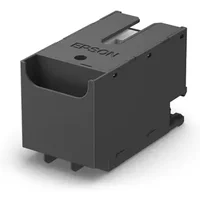
Epson Maintenance Box For EcoTank Printers- Print, Copy, Scan & Fax~~Printers & Copiers~~Printers~~Photo Printers
parkcameras.com

Xerox Phaser 5500/5550 220 Volt Maintenance Kit (300,000 pages)
Back to the Office
7. Enable Power Saving Modes
Most smartphones are equipped with power-saving modes that help optimise battery performance. Activating this feature when your battery is running low can extend its usability and prevent you from scrambling for a charger. These modes typically limit background activity, reduce screen brightness, and turn off vibrations. Les Numériques notes that users who enable power-saving modes can see up to a 20% increase in battery lifespan.
8. Avoid Extreme Temperatures
Extreme temperatures can adversely affect your device’s performance and longevity. Prolonged exposure to high heat can lead to battery swelling and damage internal components, while cold conditions can cause the screen to become unresponsive. Protect your smartphone from direct sunlight and extreme cold by keeping it in your pocket or a bag when not in use.
Comparison Table of Smartphone Care Practices
| Care Practice | Benefits | Recommended Frequency | Impact on Longevity |
|---|---|---|---|
| Software Updates | Performance & Security | Regularly (weekly) | High |
| Battery Management | Prevent wear | Daily | High |
| Physical Protection | Prevent Damage | Always | Very High |
| Storage Management | Performance Improvement | Monthly | Moderate |
| Temperature Control | Prevent Component Damage | Always | High |
Q1: How often should I update my smartphone?
A: It is recommended to check for updates weekly to ensure optimal performance and security.
Q2: Can I leave my phone charging overnight?
A: It is generally safe, but regularly charging from low to full can affect battery health over time.
Q3: Do I really need a case for my smartphone?
A: Yes, a case protects against drops and impacts, significantly increasing the phone's lifespan.
Q4: What should I do if my battery drains too quickly?
A: Check for background apps consuming battery life and consider resetting the device to factory settings as a last resort.
Checklist for Smartphone Maintenance
- [ ] Ensure software updates are enabled
- [ ] Monitor battery usage and charge wisely
- [ ] Clean the device regularly
- [ ] Use a quality case and screen protector
- [ ] Manage storage effectively
- [ ] Adjust power-saving settings when necessary
- [ ] Protect from extreme temperatures
Glossary
| Terme | Définition |
|---|---|
| Battery Cycle | Un cycle de charge complet, de la décharge à la recharge. |
| Dust Accumulation | Accumulation de particules pouvant obstruer les ports. |
| Storage Management | Approche pour optimiser l'utilisation de l'espace de stockage. |
📺 Ressource Vidéo
> 📺 Pour aller plus loin : Comment entretenir votre smartphone pour une durée de vie prolongée, une analyse complète de l'entretien des smartphones. Recherchez sur YouTube : "smartphone maintenance tips 2026".
Conclusion
Ces conseils de maintenance peuvent faire une grande différence dans la longévité de votre smartphone. Il est essentiel de prendre des mesures proactives pour garder votre appareil au meilleur de sa forme. Nous avons sélectionné plusieurs produits adaptés pour vous aider à maintenir votre smartphone efficacement. Découvrez nos recommandations ci-dessous.
📺 Pour aller plus loin : smartphone maintenance tips 2026 sur YouTube
Recommended products
Selected by our experts

TP-Link OC200 Omada Hardware Controller, SDN Integrated, PoE Powered, Manage Up to 100 Devices, Easy & Intelligent Network Monitor & Maintenance, Clou
Amazon Sellers Programme (UK)